
F1 TV
Formula One Digital Media LimitedSports
4.35.56K Reviews
- Version
- Varies With Device
- Installs
- 10.00M
- Age Rating
- Teen
Screenshots
Our Review of F1 TV
 Analysis by Appyee
I like to decide before opening a race stream what I actually want from it: the full event, a quick catch-up, or a closer look at one driver’s weekend. That small choice makes F1 TV easier to enjoy, because Formula 1 coverage can fill an evening if I let it. It is a sports app from Formula One Digital Media Limited, and its appeal is clearest when I treat it as a way to follow the sport at my own pace rather than as another video service to browse aimlessly.
A practical routine for race day
For a live session, I would first check how much time I have and whether I can give the stream my attention. If I can watch the whole race, I settle in for the event; if I am arriving late or have to step away, highlights or a replay are more useful than trying to reconstruct every moment from scattered clips. That distinction sounds obvious, but it helps avoid the common frustration of starting a long video when only a short catch-up fits the day.
A realistic use case is a Sunday when errands run over. I can get home, check what is available, and choose a replay or highlights rather than opening social media and risking a result spoiler. For a friend who follows only a few races closely, that flexibility is a stronger reason to try the app than the promise of endless viewing. If you watch live, plan around the session rather than assuming you can always pause your day without consequences.
Small choices that make viewing easier
Before settling in, I would check the app’s available playback and personalization options on my own device, then decide whether I want a broad race view or content focused on particular teams and drivers. Choosing favorites can make relevant material easier to find, but it is worth keeping those preferences aligned with what you actually follow. If your interests change during a season, revisiting them can prevent the home screen from feeling narrower than your curiosity.
Another useful habit is to separate watching from browsing. I pick the event or program first, then leave recommendations for later; otherwise, it is easy to spend the time meant for a race deciding what to play. On a smaller phone screen, I would also consider whether a long session is comfortable before committing. A television or another larger display may suit a full race better, while a phone is convenient for a short replay or highlights when I am away from home.
Who will get the most from it
The app is best suited to people who care about Formula 1 beyond a quick result: fans who want to follow a race live, revisit an event, or explore coverage around the sport. It is also useful for someone trying to build a repeatable viewing habit, such as checking highlights after a busy weekend and saving longer viewing for races they are especially interested in. The app is free to download, rated Teen, and has an average rating of 4.5 from around 206,000 ratings, with more than 10 million installs.
If you mainly want a score, a short news update, or a general sports feed, a conventional sports app may be the more efficient choice. Those alternatives usually make it easier to scan several competitions quickly; F1 TV is more compelling when you want Formula 1 video and are willing to spend time with it. A casual viewer who rarely watches races may not get enough value from a dedicated service, especially if the content they want sits behind a paid option.
The Need for Speed: What’s F1 TV All About?
First things first, F1 TV is your exclusive pass to everything Formula 1. Whether you’re a die-hard fan or a casual viewer, this app has something to offer. It’s like having a backstage pass to the F1 world, offering live coverage, exclusive shows, and so much more. The app is available on both Android and iOS, so no matter what device you’re rocking, you’re good to go.
Features That Make Your Heart Race
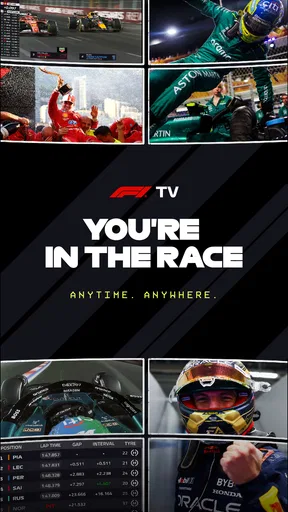
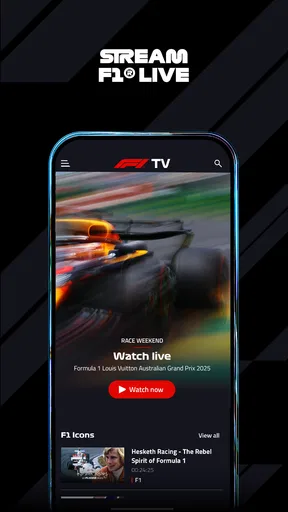
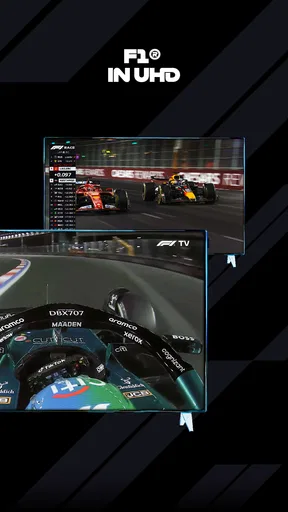
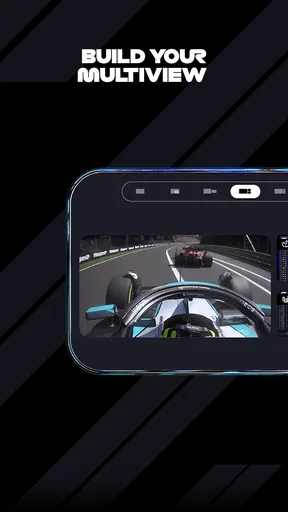
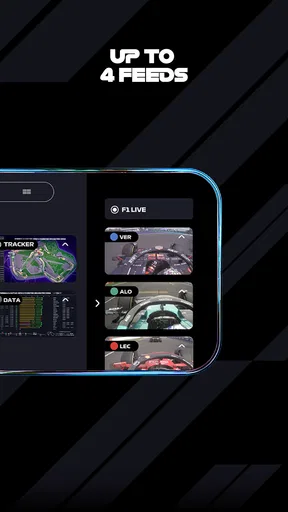
Alright, let’s get into the nitty-gritty. One of the standout features of F1 TV is its live coverage. You can watch every race live, complete with multiple camera angles, onboard cameras, and team radios. It’s like sitting in the cockpit with the drivers themselves. Plus, if you miss a race (because life happens), don’t sweat it. The app offers full race replays and highlights, so you’ll never be out of the loop.
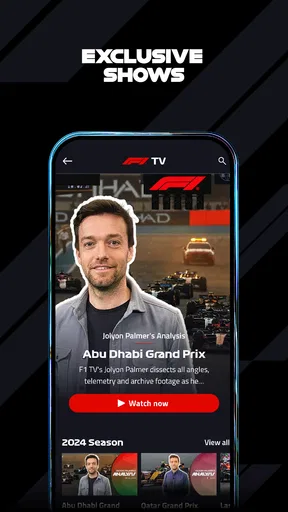
But wait, there’s more! F1 TV also serves up exclusive documentaries and shows. Whether it’s a deep dive into the rivalries that have defined the sport or behind-the-scenes footage that you can’t find anywhere else, there’s a wealth of content to explore. It’s basically Netflix for F1 fans.
Revving Up the User Experience
Now, let’s talk about how it feels to use the app. The interface is sleek and intuitive. Navigating through the various sections is a breeze, and the video quality is top-notch. I was pleasantly surprised by how smoothly the app runs, even on my older device. There’s nothing worse than buffering during a crucial overtake, right?
One cool feature I loved is the ability to personalize your experience. You can select your favorite teams and drivers, and the app tailors the content to your preferences. It’s like having your own pit crew curating content just for you.
Making sense of the subscription choice
Before relying on it for a particular race, check which viewing options are available to you and what requires a subscription. The app is free to download, but in-app purchases range from $3.49 to $29.99 per item, so I would not assume that every stream or program is included at no cost. The practical question is not simply whether you like Formula 1; it is whether you will use the paid access often enough to justify it. A fan who watches races and returns for replays has a clearer case than someone who only wants occasional highlights.
I would also treat the app as a focused companion, not a guaranteed replacement for every way of following a weekend. A standard broadcast may be simpler if you just want to switch on and watch, while a general sports app is better for keeping tabs on several leagues. F1 TV makes more sense when its Formula 1-specific coverage is the point: the ability to watch, revisit, and explore the sport in one place. If you are unsure, start with the free download and inspect the options before committing to a purchase.
Is It Worth the Pit Stop?
Now, let’s get to the burning question: Is F1 TV worth your time and money? In my opinion, absolutely. If you’re passionate about Formula 1, this app is a goldmine. It brings you closer to the action than ever before, offering insights and access that are hard to find elsewhere.
However, it’s not all smooth sailing. The app does require a subscription, and while there’s a free tier, to unlock the best features, you’ll need to shell out some cash. That said, for the content and access you get, it’s a fair trade-off. Plus, there are no ads, which is always a win in my book.
Final Lap: My Takeaway
So, what’s the final verdict? If Formula 1 is your jam, F1 TV is a must-have. It’s a comprehensive, engaging, and super fun way to keep up with everything happening on and off the track. Whether you’re watching live races, catching up on highlights, or binging exclusive content, this app has your back.
So, go ahead, download the app, and immerse yourself in the high-octane world of Formula 1. Who knows, you might just find yourself planning a trip to the next GP. Until then, happy viewing!
A calmer way to follow the weekend
For experienced viewers, I think the best workflow is to make one deliberate choice at each stage: decide whether the session is for watching closely, catching up, or exploring. During a race, the onboard views and team radio can add context, but switching among them constantly can make it harder to follow the overall shape of the event. I would use those perspectives selectively, then return to the main coverage when I want to understand how the race is unfolding as a whole.
That is also why a replay can be more valuable than it first sounds. If I want to study a particular decision or incident, I can give it focused attention instead of trying to catch every detail while doing something else. On the other hand, if I only need the broad story, highlights are a better fit. Picking the format to match the question I have—what happened, or how did it happen?—keeps the viewing useful rather than turning it into background noise.
Where the experience can feel less convenient
Live video is not the ideal answer in every setting. A race demands sustained attention, and watching on a phone while travelling or multitasking can make the most interesting details easy to miss. I would also avoid assuming a stream will suit a weak or inconsistent connection; any live video experience is more comfortable when the device and network are ready before the session begins. If uninterrupted viewing matters, it is sensible to test the setup with something less important first rather than discovering a problem at the start of a race.
There is a content trade-off, too. The depth that makes a dedicated Formula 1 service attractive can feel like excess if you are only after a quick winner and a standings check. In that case, a short news recap or a general sports service is less demanding. The choice is about how much viewing you want, not which option is universally better: this app is for people who want to spend time with Formula 1, while broader alternatives serve casual score-checking more efficiently.
Is it easy to start, and what should I check?
Getting started is straightforward in principle: install the app, browse what is available, and check the access conditions for the specific content you want. I would do that before planning a watch party or promising myself a live session, because free installation does not mean every viewing option is free. The app has been available since August 29, 2018, and its in-app purchases span $3.49 to $29.99 per item; those figures are useful context, but the relevant choice is the purchase shown for the content you intend to watch.
It is also a reasonable app to try if you are still deciding how seriously you follow the sport. Its Teen content rating is worth noting for families choosing what younger viewers can access. The audience response is strong, with around 5,400 written reviews alongside the average rating, but I would use that as background rather than as a substitute for checking whether the app’s viewing options match my own habits.
Getting more from repeated use
My most useful tip is to build a simple routine around the calendar you already keep: decide in advance which races you want to watch live, and leave replays or highlights for weekends when life gets in the way. That avoids the pressure to consume every session and makes a paid option easier to judge honestly. A second good habit is to choose favorite drivers and teams based on your current interests, then revisit those choices when your attention shifts. Personalization should help you find relevant coverage, not dictate what you watch.
For a first-time viewer, I would start with a highlights package before committing to a full race. It gives a quick sense of whether the pace, strategy, and supporting coverage are engaging enough to warrant a longer session. Longtime fans may prefer to go straight to live coverage and use other camera perspectives when a specific moment deserves a closer look. Neither approach is the “right” one; the advantage is being able to match the viewing depth to your available time and level of interest.
My considered verdict
F1 TV earns its place on my device when I want more than a result notification and have time to watch Formula 1 properly. The strongest reason to choose it is its focus: live viewing, replays, highlights, and surrounding programming give committed fans several ways to stay connected. The main reason to skip it is equally clear: if I rarely watch races or only want quick updates, a broad sports app or ordinary broadcast is likely to be simpler and better value for my routine.
With a 4.5 average and over 10 million installs, it has clearly found a large audience, but my recommendation depends on the kind of fan you are. I would download it to explore the available content, check the purchase requirements before relying on a particular stream, and settle on a repeatable plan for live races and catch-up viewing. Used that way, it feels less like an endless catalogue and more like a practical home for following the championship on your terms.
Verdict
Strengths of F1 TV
- High-quality live streaming.
- Extensive race replays.
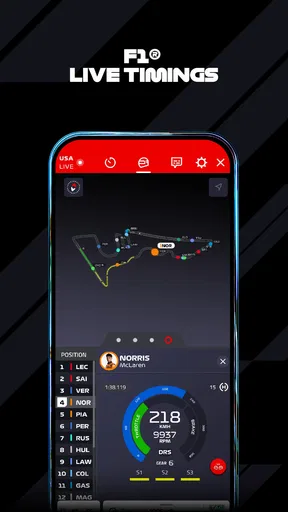
- In-depth driver stats.
- Multiple camera angles.
- Exclusive team radio access.
Limitations of F1 TV
- Subscription required.
- Limited offline viewing.
- Regional content restrictions.
- Occasional streaming lags.
- Complex initial setup.
Other Releases by Formula One Digital Media Limited
View All
Formula 1®
Sports3.5
Similar Picks in This Category
View All
BeSoccer: Soccer Live Score
BeSoccer apps4.3

Cricbuzz - Live Cricket Scores
Cricbuzz.com3.7

NFL
NFL Enterprises LLC2.4

Da Fit
MO YOUNG LIMITED3.6

ESPN
Disney4.5

LiveScore: Live Sports Scores
LiveScore Limited4.5
Frequently Asked Questions
What features does F1 TV offer for fans of Formula 1?
F1 TV provides live streams of every track session for all Grands Prix, along with access to onboard cameras and team radios. Additionally, fans can enjoy expert commentary, exclusive documentaries, and replays. The app also features live leaderboards and real-time telemetry data for an immersive experience.
Is F1 TV available globally, and what are the subscription options?
F1 TV is available in many countries, but not globally. It offers two main subscription options: F1 TV Pro, which includes live streaming, and F1 TV Access, which provides delayed replays and highlights. Availability and content may vary by region, so it’s important to check local restrictions.
Can I watch F1 TV on multiple devices, and is there offline viewing?
Yes, F1 TV can be accessed on multiple devices, including smartphones, tablets, and computers. However, offline viewing is not supported, so a stable internet connection is necessary to stream content. The app allows users to sign in on multiple devices, but simultaneous streaming limits may apply.
What are the technical requirements for using F1 TV smoothly?
To use F1 TV smoothly, ensure you have a stable internet connection, preferably 10 Mbps or higher for HD streaming. The app is compatible with most modern Android and iOS devices, but it’s advisable to keep your device’s operating system updated for optimal performance. Check the app store for specific compatibility details.
How does F1 TV handle technical issues and customer support?
F1 TV provides customer support through its official website, offering troubleshooting guides and FAQs for common issues. Subscribers can also contact support via email for more specific problems. The app is regularly updated to fix bugs and improve performance, ensuring a quality user experience.
